
Support

1-855-845-5525 Get help from an expert

0

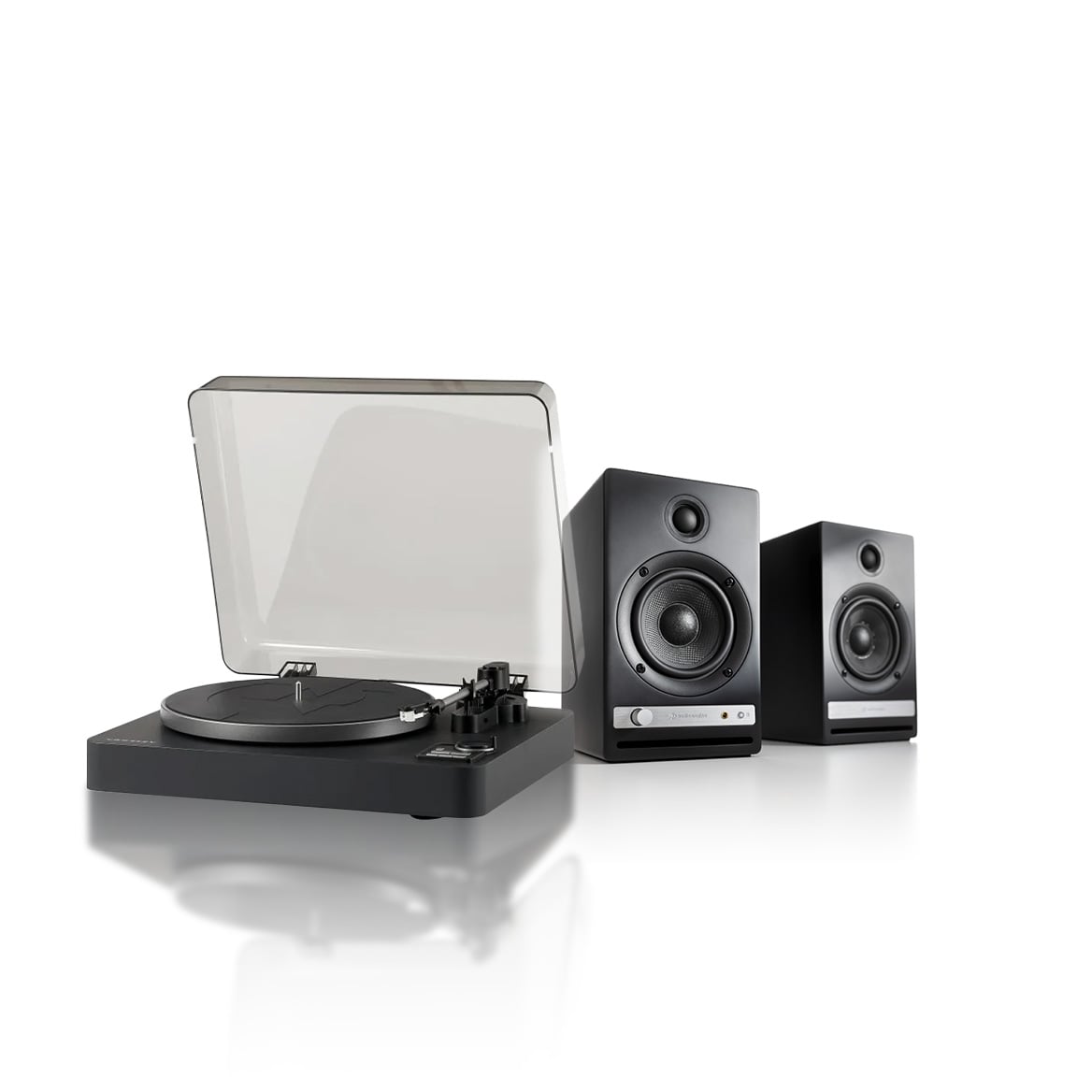
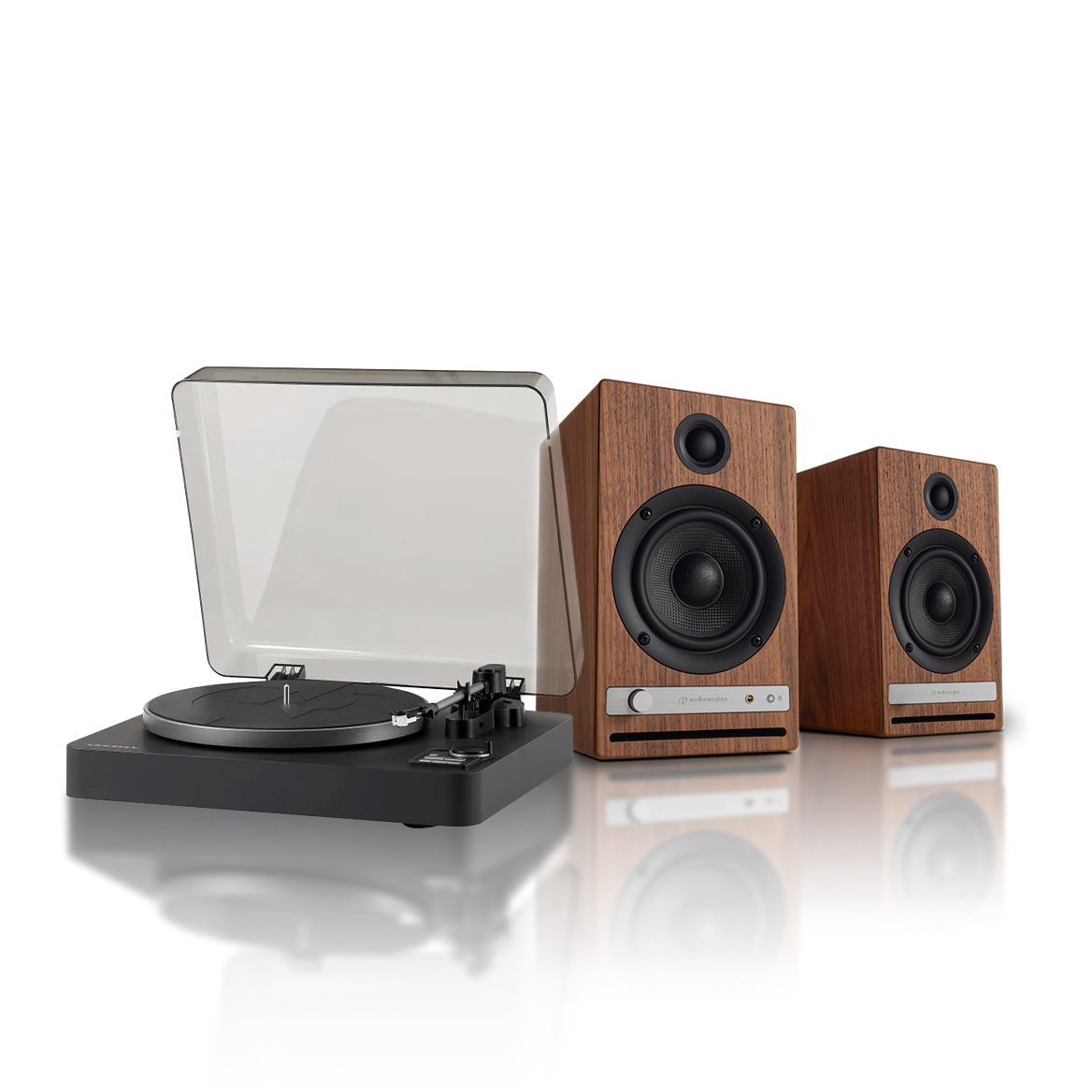
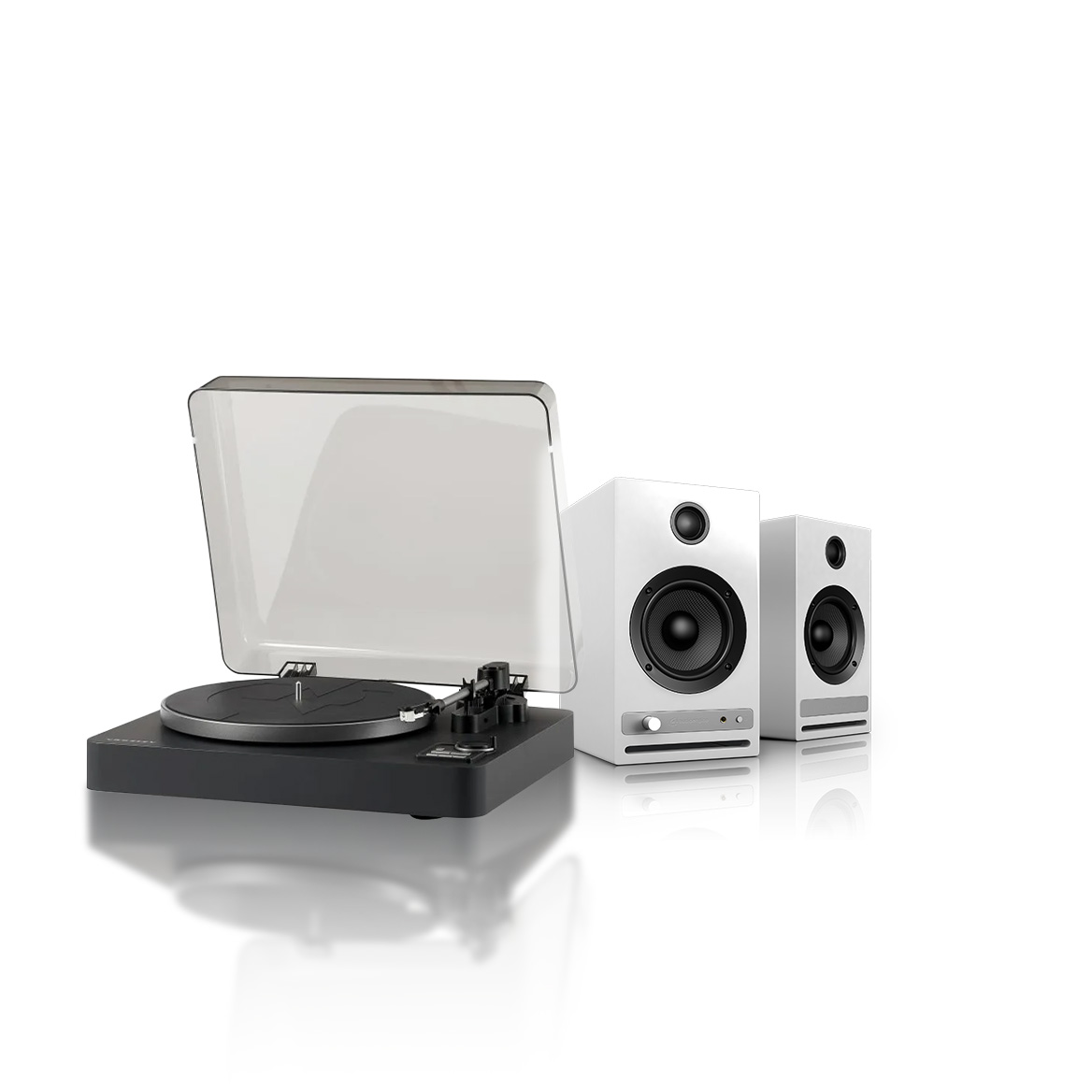
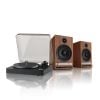
HD4300BT Turntable Flex Kit

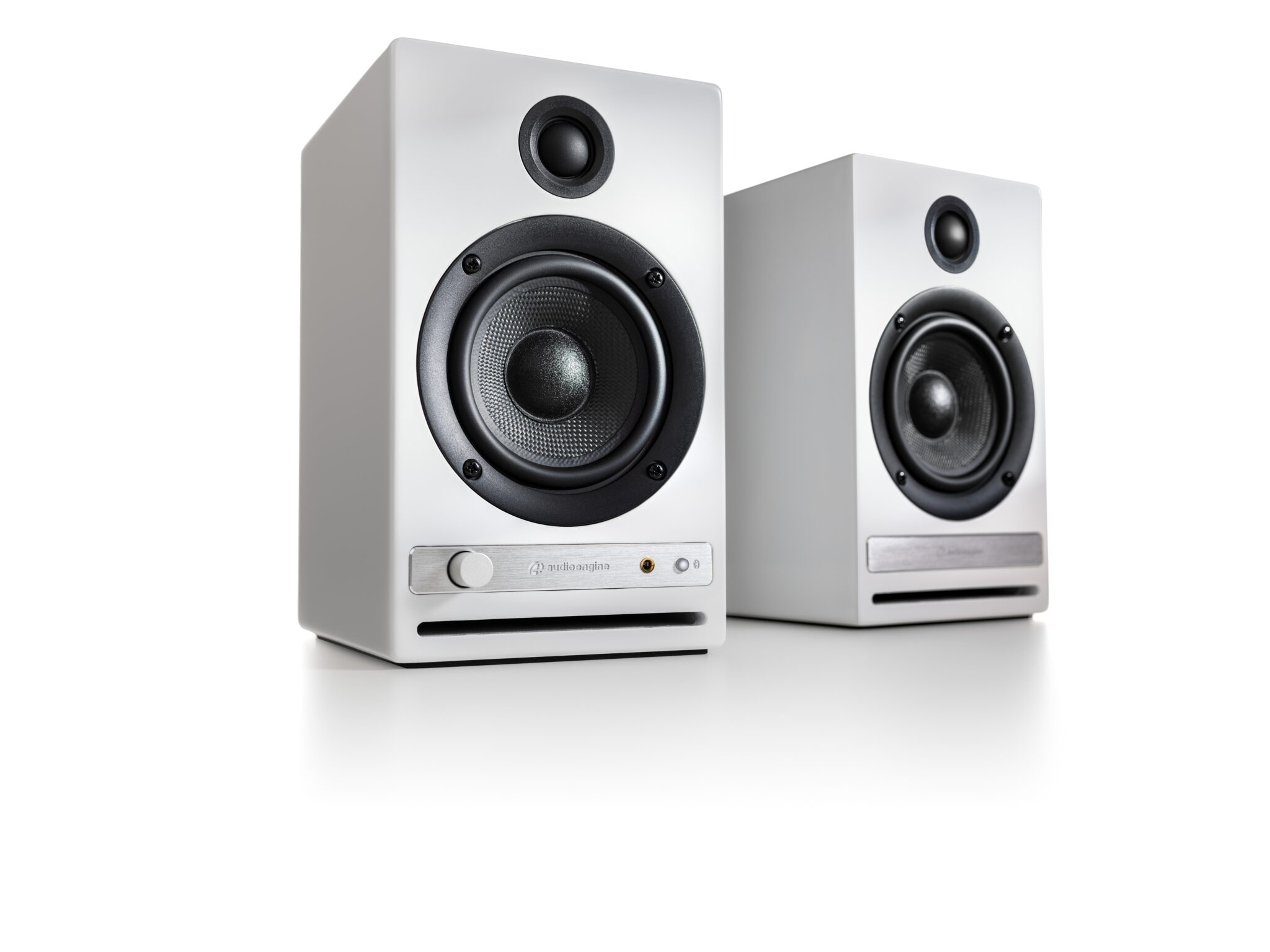
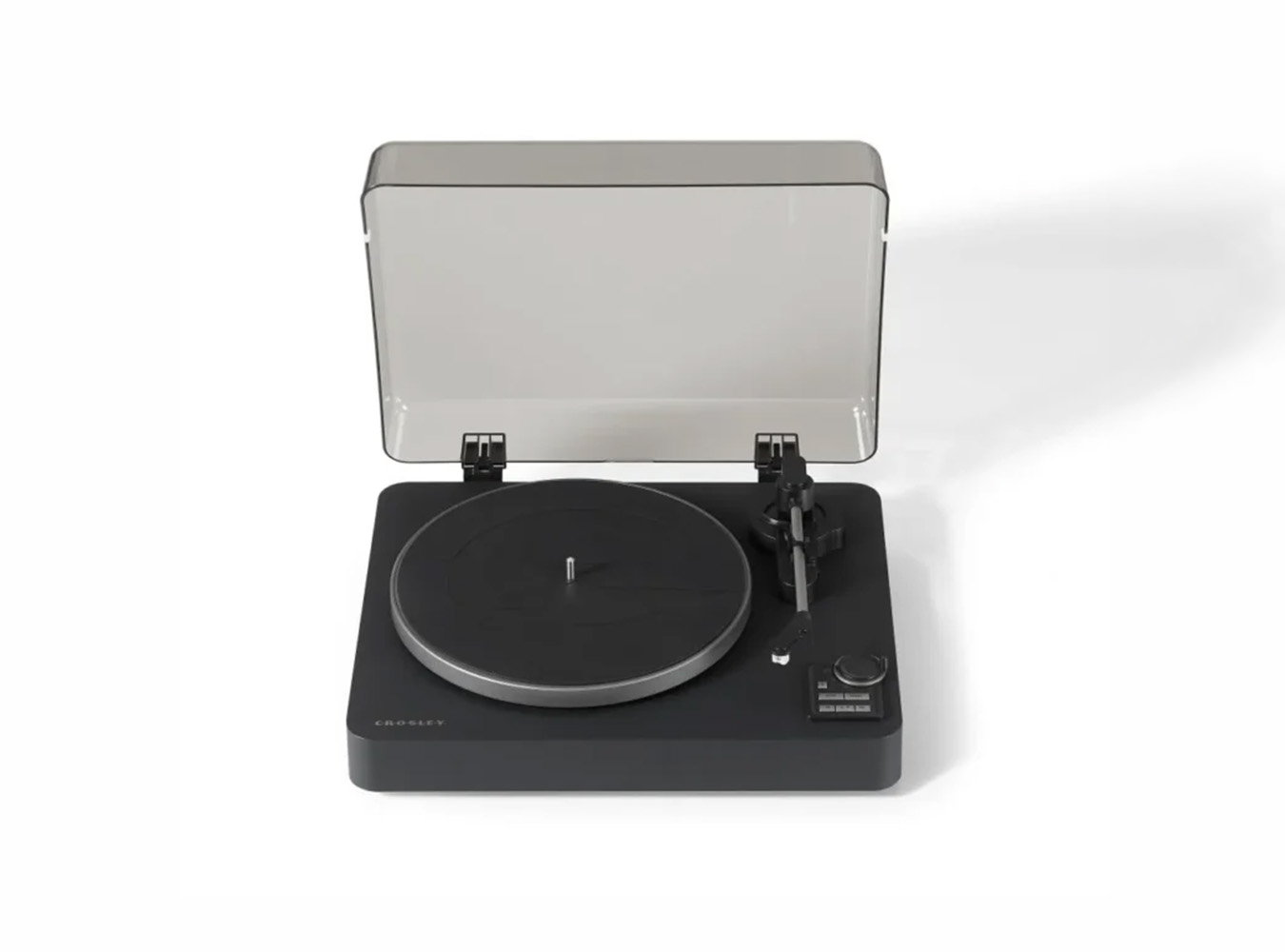
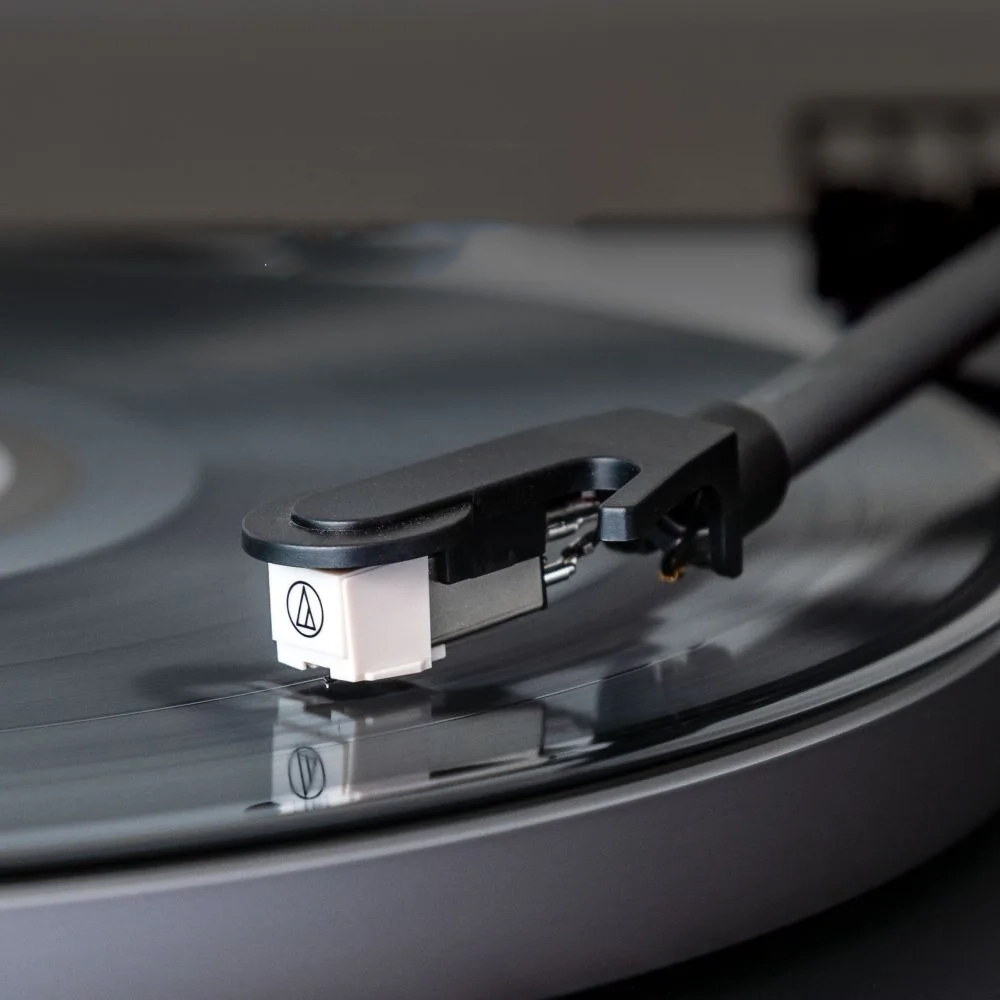
The HD4 Next Gen Home Music System and Crosley C300 Turntable bring professional-grade vinyl playback to a compact, everyday setup. The C300’s direct-drive motor and aluminum platter offer precise speed and stability, while its pre-mounted Audio-Technica cartridge captures every groove with clarity. Built-in phono and line outputs make connecting to the HD4 simple, no extra gear required.

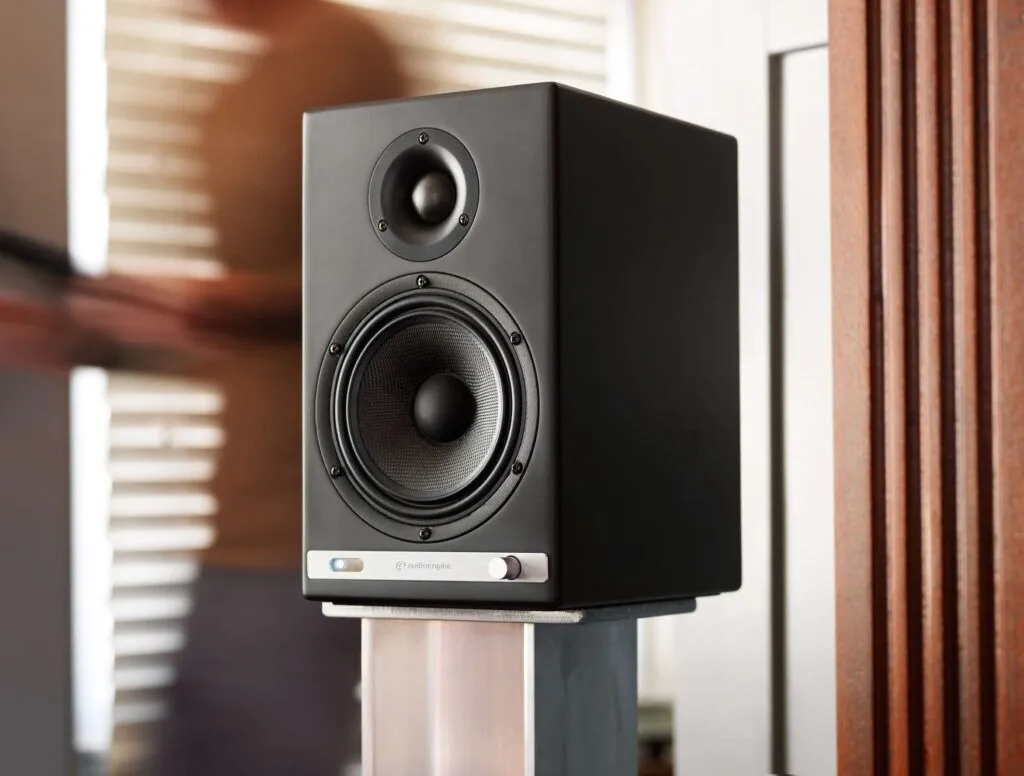
The HD4 delivers 120 watts of analog Class A/B power through handcrafted wood cabinets for warm, detailed sound. Equipped with aptX Adaptive Bluetooth, USB-C, and RCA inputs, it keeps your setup flexible and frustration-free.

Pro Tip: For best results, use the RCA connection for vinyl and Bluetooth or USB-C for digital streaming. Keep the turntable on a stable surface to ensure accurate playback.

Connection Types:
MobileBluetoothTurntableSubwooferHeadphone

Original price was: $628.00.Current price is: $619.00.

* Additional discounts are not valid on sale items

Fast & Free Shipping!

Fast & Free Shipping!

Enter your postal code to estimate delivery time from Texas:

Free ground shipping Free ground shipping
10-second checkout with Amazon 10-second checkout with Amazon
3-year warranty 3-year warranty
We pay sales tax, if applicable We pay sales tax, if applicable
60-day audition 60-day audition
What is the Difference Between a Turntable and a Record Player?

What is the Difference Between a Turntable and a Record Player?

For many music lovers, vinyl is more than just a formatβ€”it's a passion. When diving...

Read More
Are Vinyl Records Lower Quality than Digital Audio?

Are Vinyl Records Lower Quality than Digital Audio?

Are Vinyl Records Lower Quality than Digital Audio? Home Audio MisconceptionsDebates between vinyl and digital...

Read More
Why You Shouldn’t Play Your Favorite Vinyl on a Subpar Turntable

Why You Shouldn’t Play Your Favorite Vinyl on a Subpar Turntable

When you drop the needle on your favorite record, you expect to hear warmth, detail,...

Read More

Best Use:

  • Desktop Setups
  • Turntable Setups

Ideal for:

  • The Audiophile
  • The Old School Music Lover
  • The Music Enthusiast

HD4 Home Music System

  • ROOM-FILLING SOUND – 120 watts of rich, full-range stereo from compact cabinets designed for your desktop, shelf, or home setup.
  • BLUETOOTH APTX ADAPTIVE– Stream high-resolution music wirelessly from up to 100 feet away, with minimal delay and maximum clarity.
  • HIGH FIDELITY – Engineered for detailed, accurate sound whether you’re streaming, spinning vinyl, or listening to your own collection.
  • CUSTOM-TUNED – Tuned in-house by Audioengine’s team of musicians and engineers to deliver the warm, powerful sound we’re known for.
  • PLUG & PLAY – No software or apps. Just instant connection through RCA, or 3.5mm AUX.
  • HAND-BUILT – Built from real wood, not plastic. Choose from solid carbonized bamboo or hand-finished painted cabinets in a multi-step high-gloss process.
  • FEATURES – Aramid fiber woofers, silk dome tweeters, Bluetooth aptX Adaptive, USB-C, RCA inputs, Class AB amplifier, detachable magnetic grilles, and front-panel volume knob.
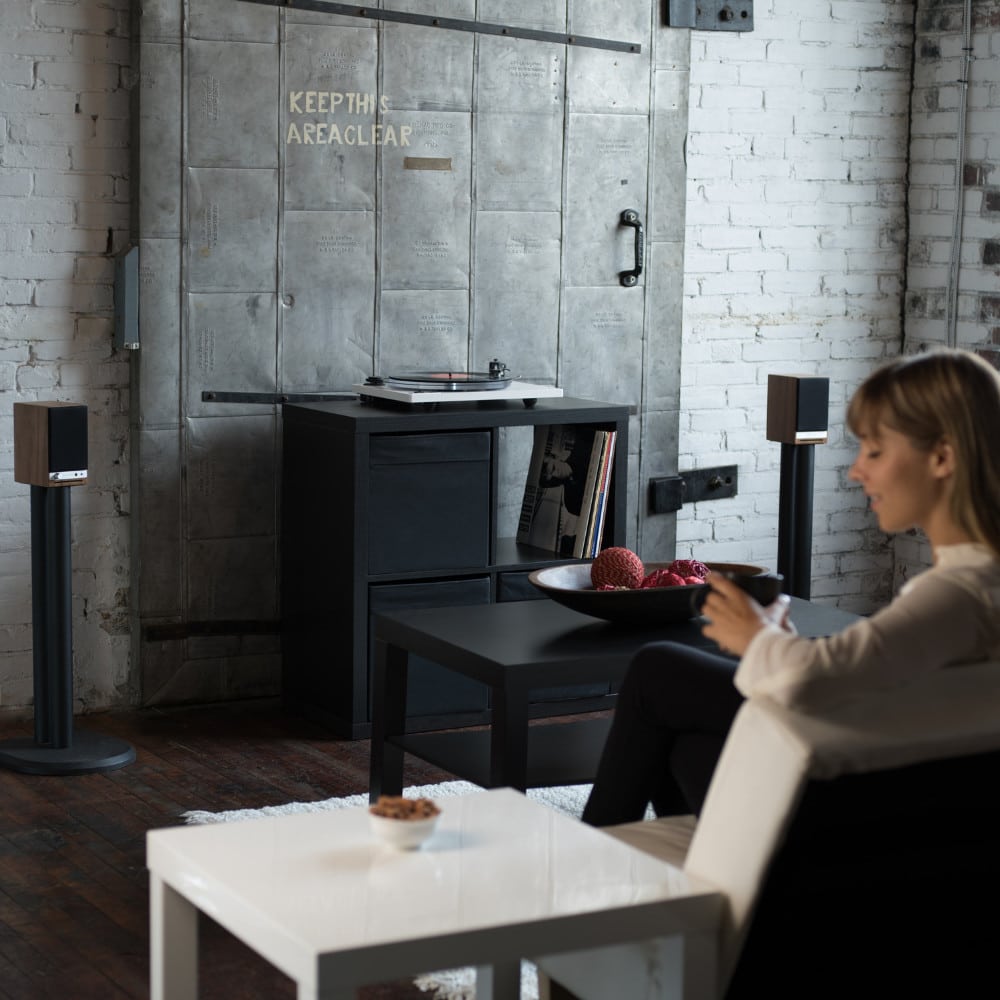
  • PERFECT FOR – Nearfield desktop use, record players, compact listening setups, or small living room systems.
  • WHY HD4 – Professional-grade components, handcrafted construction, and a Texas-based company with real people answering the phone when you need support.
  • WHAT’S IN THE BOX – HD4 speakers (left and right), 6.5ft speaker wire, power supply and cord, 6.5ft USB-C cable, 6.5ft mini-jack cable, microfiber speaker bags, and setup guide.
    For more details on the HD4 Home Music System, [click here].

Crosley C300 Turntable

  • TRUE ANALOG PRECISION – Manual direct-drive turntable designed for 33 β…“ and 45 RPM playback. Hands-on operation gives you full control from start to finish.
  • BUILT-IN BLUETOOTH OUTPUT – Stream records wirelessly to any powered Home Music System or Bluetooth headphones for a clean, cable-free setup.
  • STUDIO-GRADE STABILITY – Aluminum platter, die-cast tonearm, and vibration-dampening feet keep rotation steady and resonance low for clear, accurate sound.
  • READY OUT OF THE BOX – Pre-mounted Audio-Technica cartridge and balanced tonearm setup ensure dependable performance right away.
  • INSTANT INTEGRATION – Switchable phono/line preamp and RCA outputs make it compatible with nearly any modern audio chain.
  • HANDCRAFTED DETAILS – Brushed metal finishes, precision controls, and a clear dust cover combine function and style in one solid build.
  • IDEAL FOR – Listeners ready for a performance step up from entry-level turntables, built to pair naturally with the HD4 Next Gen Home Music System.
  • INCLUDES – Turntable, dust cover, slipmat, power supply, counterweight, pre-mounted Audio-Technica cartridge, and alignment protractor.

For the Collection That Deserves More

The HD4 and C300 are made for those who take their sound seriously. The C300’s direct-drive system brings speed precision and durability, while the HD4’s analog amplification adds warmth and presence that only real components can deliver.

This is a setup built for consistency and control, no gimmicks, no shortcuts. Whether you’re spinning your first record or your thousandth, it’s built to play the way you want to listen. Just drop the needle and enjoy the results.
What's in the box

2USB-C to Lightning Adapter
1N22 (Gen 2) Premium Desktop Audio Amplifier
11/8" audio cable
1RCA audio cable
2Speaker wire (16AWG)
1Cloth amplifier bag
2Microfiber speaker bag
1Setup guide
1USB-C cable
1AC power cord
What's in the box

Questions & answers about the HD4300BT Turntable Flex Kit

Table of Contents 

  • IntroductionΒ 
  • Main Differences Between AudioengineΒ A2+ and Edifier R1280DBsΒ 
  • Key SpecificationsΒ 
  • Overall DesignΒ 
  • Playback CapabilitiesΒ 
  • Other Noteworthy FeaturesΒ 
  • AudioengineΒ A2+ Exclusive AdvantagesΒ 
  • Edifier R1280DBs OverviewΒ 
  • Pros and Cons
    • AudioengineΒ A2+Β 
    • Edifier R1280DBsΒ 
  • ConclusionΒ Β 

Introduction 

In the realm of powered desktop speakers, the distinction between a good and an exceptional audio experience can be vast. The Audioengine A2+ and Edifier R1280DBs both offer quality sound and features, but a closer look reveals why the A2+ is the superior choice for audiophiles and casual listeners alike. 

https://www.youtube.com/embed/8JwbciPX0hE

Main Differences Between Edifier R1280DBs and Audioengine A2+

The Audioengine A2+ sets itself apart through its premium build quality, superior sound performance, and versatile connectivity options. Emphasizing a richer audio experience and modern aesthetics. While the Edifier R1280DBs aim for affordability and functionality, they do not offer the same level of premium materials or sound quality. 

Key Specifications 

  • Audioengine A2+:Β 
  • Amplifier Type: Class ABΒ 
  • Power Output: 60-Watt Peak Power TotalΒ 
  • Connectivity: Bluetooth aptX, USB, Analog InputsΒ 
  • Edifier R1280DBs:Β 
  • Built-in Amplifier Power: Up to 42 WattsΒ 
  • Connectivity: Bluetooth 5.0, RCA InputsΒ 

Overall Design 

The Audioengine A2+ showcases its superior design with real-wood cabinets that are both hand-crafted and hand-painted, available in Satin Black, High Gloss White, High Gloss Red, and Matte Blue. This attention to detail sets them apart from the Edifier R1280DBs, which, despite having real wood cabinets, do not offer the same level of craftsmanship, lacking the hand-crafted and painted qualities that pushes the A2+ to a higher standard of design excellence. 

Playback Capabilities 

The Audioengine A2+ stands out with its 60 watts of power, supported by a Class AB amplifier and Bluetooth aptX, for a superior sound experience. In contrast, the Edifier R1280DBs, although featuring Bluetooth 5.0, are limited to a 42-watt output, which does not allow for the same level of volume or audio clarity, emphasizing the A2+'s enhanced sound capabilities. 

Other Noteworthy Features 

Audioengine enhances customer confidence with US-based customer phone support, a 30-day audition period, and a 3-year warranty, highlighting its commitment to product excellence. Conversely, Edifier offers essential support with a 30-day return policy and a 2-year warranty.  

Audioengine A2+ Exclusive Advantages 

  • Superior Sound Quality: With its built-in DAC and AB Amplifier, the A2+ allowsΒ you to hear your favorite songs the way the artist intended.Β 
  • Premium Design: The hand-crafted and hand-painted wood cabinets not only provide superior acoustics but also add a touch of elegance to your space.Β 
  • Versatile Connectivity: The A2+ supports a wide range of devices through Bluetooth aptX, USB, and analog inputs, ensuring compatibility with any setup.Β 
  • Exceptional Customer Support: Audioengine's commitment to customer satisfaction is evident in their responsive US-based customer phone support and comprehensive 3-year warranty.Β 

Edifier R1280DBs Overview 

While the Edifier R1280DBs are a solid choice for those on a budget, offering Bluetooth connectivity and a practical design, they lack the A2+'s premium finish, signature Audioengine sound quality, and industry leading customer support. 

Pros and Cons 

Audioengine A2+ 

  • Pros: Exceptional sound quality; elegant, hand-crafted design; versatile connectivity; superior customer support.Β 
  • Cons: Higher price but justified by the superior sound quality and craftsmanship.Β 

Edifier R1280DBs 

  • Pros: Affordable, good for basic needs, and includes remote control.Β 
  • Cons: Sound and build quality cannot match the A2+; limited support.Β 

Conclusion 

While both the Audioengine A2+ and Edifier R1280DB offer quality sound and features, a closer look revealed that the Audioengine A2+ is the superior choice for both audiophiles and casual listeners. Through the hand-crafted and hand-painted cabinets and superior sound quality, the A2+ proves to be the best choice.  

Kanto YU2 vs Audioengine A2+: Table of Contents

  • Introduction
  • Main Differences Between Kanto YU2 and AudioengineΒ A2+
  • Key Specifications
  • Overall Design
  • Playback Capabilities
  • Kanto YU2 Overview
  • AudioengineΒ A2+ Exclusive Advantages
  • Customer Service and Warranty
  • Pros and Cons
  • Conclusion

Introduction

In the competitive world of desktop audio systems, the difference between an average and exceptional experience is marked by details that go beyond mere volume. The Audioengine A2+ and Kanto YU2 both strive to dominate this niche, but the A2+ stands out significantly in both performance and design.

Main Differences Between Audioengine A2+ and Kanto YU2

  • The Audioengine A2+ excels with itsΒ Class AB amplifier, known for superior sound quality, over the Kanto YU2’s Class D amplifier.
  • TheΒ YU2 does not support Bluetooth. The A2+ supports Bluetooth with Qualcomm's advanced aptX codec offering clearer, more versatile connectivity than the wired capabilities of the YU2.
  • With discrete analog crossovers, the A2+ ensures a more refined audio separation compared to the YU2's digital approach.
  • Front-ported speakers, like the Audioengine A2+, offer greater flexibility in placement and better bass response in confined spaces compared to rear-ported designs, like the Kanto YU2, which require more room to avoid bass buildup and distortion.

Key Specifications

Audioengine A2+:

  • Amplifier Type: Class AB Analog
  • Power Output: 60W Peak Power Total (30W Peak per Channel)
  • Inputs: 3.5mm Stereo Mini-Jack, RCA, USB, Bluetooth aptX

Kanto YU2:

  • Amplifier Type: Class D
  • Power Output: 100W Peak Power (50 Watts Total RMS)
  • Inputs: 3.5mm Mini-Jack AUX, USB,Β NO RCA INPUT

Overall Design

Audioengine A2+ not only prioritizes acoustic quality but also highlights detailed attention to design. Each speaker is hand-crafted from real wood and hand-painted using the same 13-step process as a baby grand piano. This not only enhances the aesthetic of any setup but also improves audio performance by reducing unwanted resonances, providing a warmer and more natural sound compared to materials like plastic or metal. This level of craftsmanship is not seen in the Kanto YU2, which opts for a more simplistic approach, lacking the A2+'s hand-painted and handcrafted real wood finish.

Playback Capabilities

The A2+ leverages its powerful Class AB amplifier to deliver an expansive and detailed sound, making it ideal for diverse audio settings from quiet background music to party-level sound without distortion. In contrast, the Kanto YU2, although capable within smaller spaces, struggles to maintain clarity at higher volumes due to its Class D amplifier configuration, highlighting the A2+ as the more versatile and superior-sounding option.

Kanto YU2 Overview

The Kanto YU2, while a competent competitor in the budget speaker market, is designed with basic functionality in mind. It offers a basic digital audio connection via USB and a minimal physical footprint, making it suitable for desktop environments where space is at a premium. However, it lacks the robust feature set and acoustic fidelity that define the A2+, positioning it as a more entry-level option.

Audioengine A2+ Exclusive Advantages

Beyond delivering exceptional sound quality, the A2+ excels with user-friendly features such as extended-range wireless Bluetooth aptX and multiple input options, ensuring seamless connectivity across devices. This simplicity extends to the speaker's operation, where inputs are always ready to accept signals without the need to toggle between sources manually, making the A2+ both powerful and incredibly convenient for daily use.

Customer Service and Warranty

Audioengine is dedicated to exceptional customer service and reliability, offering a comprehensive 3-year warranty on all products, which far surpasses the industry standard. This commitment is highlighted by the unique 30-day audition period, allowing customers to experience the quality of the A2+ in their own space. Moreover, Audioengine prides itself on US-based customer phone support where clients can speak directly to knowledgeable staff who work collaboratively to resolve any issues. This contrasts with Kanto's offering, which includes only a 2-year warranty, reflecting a lesser commitment to customer assurance and product longevity.

Pros and Cons

Audioengine A2+:

Pros: Exceptional sound quality due to class AB amplifier and integrated DAC; handcrafted, hand-painted real wood design; versatile connectivity; superior customer support.

Cons: Fewer color options and slightly taller design.

Kanto YU2:

Pros: Suitable for limited-space setups and seven color options

Cons: Compromised sound quality at higher volumes, less detailed design, and compressed customer service.

Conclusion

Comparing the Audioengine A2+ and Kanto YU2 reveals a clear disparity in quality and value. The A2+ not only outperforms the YU2 in terms of sound and design but also in its comprehensive feature set and customer-centric offerings. For those seeking a superior desktop audio experience, the A2+ proves an unbeatable choice. Cementing A2+'s position as the preferred system for both audiophiles and casual users seeking premium sound on their desktop.

Audioengine's A2+ Wireless Desktop Speakers have clinched the title of Best Desktop Speaker of 2024, as declared by New York Magazine. This recognition shines a spotlight on the A2+'s superior sound quality, wrapped in the sleek, new matte blue finish.

Read the full review

In an era where desktop speakers often compromise on quality for design, Audioengine stands out by merging both without sacrifice. The A2+ is not just another speakerβ€”it's a statement of high-fidelity audio meeting bold, innovative design.

Jennifer Conrad from New York Magazine remarked on the A2+'s impressive capabilities, noting,

"The speakers easily filled my office with music at a low volume and could be turned up loud enough to fill most of my apartment."

This is what Audioengine aims for: robust, clear sound that can command any room, regardless of volume levels.

Audioengine A2+

Since its inception in 2005, Audioengine has been at the forefront of creating home music systems that redefine the listening experience.

The A2+ Wireless Desktop Speakers embody this mission, offering Bluetooth connectivity and an intuitive setup that appeals to audiophiles and casual listeners alike, and that is what makes them the best desktop speakers of 2024. The addition of the matte blue model to the A2+ lineup showcases Audioengine's commitment to providing options that cater to the individual style of our users.

This accolade from New York Magazine is a testament to Audioengine's legacy of innovation and quality in the audio industry. It celebrates not just the superior sound of the A2+, but also the company's ongoing commitment to enhancing the way music is experienced in personal and professional spaces.

For those in pursuit of desktop speakers that refuse to compromise on sound or style, the Audioengine A2+ Wireless Desktop Speakers, especially in the new matte blue variant, offer an unrivaled audio experience that stands out in 2024's competitive landscape.

Audioengine operates two websites, audioengine.com and audioengineeu.com. If you go to any other site but these, they are not an Audioengine site. For Canada, Mexico and most of Europe and the UK, we only sell through Amazon. There are also a host of authorized retailers and sites across the US, and they can be found here. For international sales, we have distributors that operate independently, and they can be found here

What happens if I buy from an authorized site claiming to be Audioengine? Unfortunately, there is not much we can do. We are taking all the action we can to make sure those sites don't get indexed, but we recommend you work with the provider of the card you used to make payment to get your money back.

Step-by-Step Guide

  1. Open Terminal:
    • You can find Terminal in your Applications folder under Utilities, or you can use Spotlight by pressing Cmd + Space and typing "Terminal".
  2. Execute the Command:
    • In the Terminal window, type the following command and press Enter:

bash

Copy code

sudo pkill bluetoothd

  1. Enter Your Password:
    • After pressing Enter, you will be prompted to enter your password. Type your Mac's administrator password and press Enter.
    • Note that when you type your password, it won't be displayed on the screen (not even as asterisks). Just type it and press Enter.

By following these steps, you should be able to reset your Bluetooth service on your Mac, which can help resolve connectivity issues with your Audioengine devices or any other Bluetooth peripherals.

We take great pride in our products, and go through great lengths to ensure consistency and quality. For that reason, this item was randomly selected for an additional step of Quality Assurance.

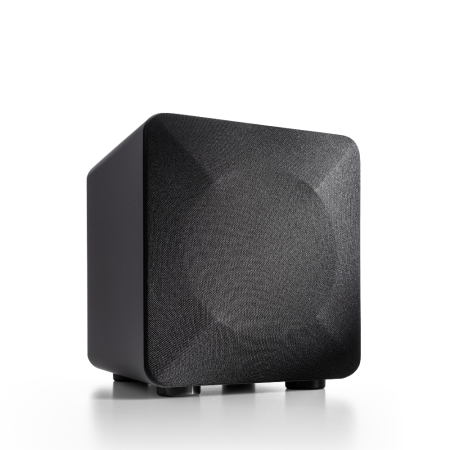
Yes!Β  As long as your speakers have an analog output (either RCA outputs or a 3.5mm stereo mini output), you can absolutely connect the S6 to your powered speakers.Β  With the exception of the B2, all of our powered speakers will have the outputs needed to connect the S6, this includes the original A2 and A5 models. You can simply use RCA cables to connect the S6 to the A2+, HD3, HD4, A5+, A5+Wireless, and HD6 speaker models. For the A1 and A1-MR speakers, you can use one side of your stereo RCA cables. Just use the left/white RCA cable, and leave the red RCA disconnected to prevent an accidental ground loop. ** Please note:Β  a 3.5mm/stereo mini cable will not work with the β€˜Subwoofer’ output on the back of your A1/A1-MR speakers. **
No, there are no firmware updates or special drivers needed unless you own our A1-MR multi-room speakers or our B-Fi multi-room wireless streaming device. If a firmware update is released for the A1-MR or the B-Fi, you will be notified of the update the next time you open the Audioengine Control App.Β  If an update is needed, simply click "update" on the DEVICES page next to the product that needs to have the firmware update applied.Β  The app will handle the rest of the process from there! Standard plug-n-play drivers that are provided by your computer's OS are utilized when using the USB input on our A2+, HD3, and HD4 speaker models. And all of our Bluetooth speakers/products are compatible with any device that supports Bluetooth, and the A2DP profile for streaming stereo audio. This includes most smartphones, tablets, and computers. For computers that don't include Bluetooth support out of the box, you can simply add a USB Bluetooth adapter.
Β  Β  Β  Β  Β  Β  Β  Β  Β  Β  Β  Β  Β  Β  Β  Β  Β  Β  Β  Β  Β  Applicable to our A2+, HD3, HD4, A5+, A5+Wireless, and HD6 speakers.
Start with power cycling your speakers by turning them off and then back on.Β  From there:
  1. Determine if the distortion is due to your source by disconnecting all source devices from the speakers.
  2. Please make sure all of your connector cables are in working order. Try different cables as well as a different source device.
  3. Please try using each input available (mini-jack, RCA, USB, as well as Bluetooth), one at a time, to see how the speakers react. If the distortion is unique to one speaker, when testing via RCA switch the RCA jacks (red to white and white to red) to see if the issue remains in the same channel.
  4. Make sure it is not a power issue by trying a power outlet that is on a different circuit.
If the issue persists, please click on the following link and then click on the dropdown to submit an email to our Support team: Support Page When doing so, please copy and paste the above troubleshooting steps along with the results of each and include this information when contacting us.

Applicable to our A1, A1-MR, A2+, HD3, HD4, A5+, and HD6 speaker models

If one of your speakers is not working (whether it be the left or right speaker), we would recommend the following troubleshooting steps: Start by power cycling your speakers by turning them off and then back on.Β  From there:
  1. Check to make sure the speaker wire connecting the left and right speakers is connected according to proper polarity (Red to Gold, Black to Silver) on both ends.
  2. Please make sure all of your connector cables are in working order. Try different cables as well as a different source device.
  3. If you are using any other devices in line with these speakers, please temporarily remove them from your setup and connect the source directly to the speakers
  4. Please try using each available input, one at a time, to see how the speakers react. When testing via RCA swap the RCA jacks (red to white and white to red) to see if the issue remains in the same channel.
If the issue persists, please click on the following link and then click on the dropdown to submit an email to our Support team: Support Page When doing so, please copy and paste the above troubleshooting steps along with the results of each and include this information when contacting us.
On the A2+ Wireless/HD3 models with an external power supply brick, first test it by plugging into wall power and observing the LED light on the brick to see if its solid, blinking, out. If it's blinking or out, the power supply is likely faulty. If the light is solid, proceed to plugging into the speaker and observe the power supply brick LED once more. If it's blinking or out, there is likely an issue with the internal amp. Contact support if either has an issue.
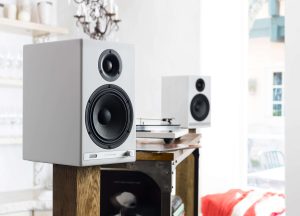
This sometimes happens when the speakers and turntable share the same surface. The vibrations from the speakers playing feedback into the turntables stylus, causing unwanted noise. The best way to mitigate this would be to place the speakers on a different surface. If that's not an option, we'd recommend trying out some isolation stands. For larger speakers like A5+ and HD6, the ones made by Isoacoustics work well.
If the left speaker is in an easy to reach location, you can certainly use the physical knob to set volume. If not though, it's perfectly fine to set the speakers to a good volume and then adjust from your source moving forward. Every setup is different, so some experimentation will be necessary to find your preferred settings.
Our A2+'s are an all-in-one system with no extra components needed except your phone or computer. Simply place the speakers where you want them and connect the power supply. Hook up the included speaker wire from the powered left speaker to the right passive speaker. Then connect your music source with the supplied cables - or go wireless with any Bluetooth enabled source device, like a computer, smartphone, or tablet. Here is a quick video that can be used as a reference: A2+ Setup Video (Please note - there is no audio associated with the video.)
The A2+s do not include detachable magnetic grills.
All you would need to do is connect the variable output of the A2+ into the input of your sub using RCA cables.
You wouldn't be able to use a pair of headphones directly with the A2+s; in order to use headphones with the A2+s, you would need to include something with a dedicated headphone amp, such as our D1. All you would need to do is plug the D1 into your computer (either with an optical or USB cable) and connect the D1 from its RCA outputs into either of the inputs of your speakers.
In the new A2+, we've included a linear limiter which will manage the bass at the point where bass distortion starts to occur. Being a linear limiter, it will not chop the signal but instead retains the shape of the waveform, not allowing it to go into distortion. This means if you listen to the A2+ at higher levels you'll notice the bass response is tamed and not as boomy. It’s important to note that the limiter will have no effect at normal listening levels.
Yep, an AC wall outlet near the A2+ is all you need to power the AW3 wireless Receiver.
Some turntables will need a preamp before being connected and others may have one built-in. With that in mind, it is best to check the turntable manufacturer’s website, the turntable’s user manual, or you can even try your turntable without the preamp first to see how it operates.
If you’ve connected your turntable to your speakers and the volume is low, one of two situations may be happening: If you have a turntable with a built-in phono preamp, such as the Audio-Technica ATLP120 or the Music Hall USB-1, the output may be in the wrong setting. Double check and make sure the switch is set to β€œline” instead of β€œphono.” Be careful to keep the volume of your speakers low as it can be quite loud if you had to switch it to "line". Your turntable could also not include a built-in phono preamp, such as older turntables. If your turntable does not include a built-in preamp, you will need to add an external preamp to bring the signal up to a line level signal. We don’t have any recommendations on a particular brand or model preamp to use with this setup.
Sure, for A2+ you will need an inverter that can supply about 50-60 watts.
Yes, you can.Β  Β The A2+ speakers use a switching power supply so it will automatically convert to the different voltage. The power cable isΒ  also detachable which makes it convenient to replace the AC plug with a different type if you don't want to use an adapter plug.
Plug the W3 AC Power Supply (one adapter is included with the W3) into an AC outlet, connect the W3 Receiver into the adapter, and run the mini-jack cable from the Receiver to the A2+'s. If you're not using your W3 transmitter with a computer, and need a second power supply for your setup, you can find extra power supplies here. You can also use spare USB phone or tablet chargers to power the W3, just make sure they can supply at least 500mA.
The A2+ is equipped with a power-saving circuit that turns off the final stage of the speaker's amplifier when no input signal is detected, so you can absolutely leave them on when not in use. This activates right after you stop playing music, and is instantaneous (as soon as the input signal stops and it disengages automatically once an input in reintroduced), so there shouldn't be a noticeable delay when resuming audio. It's also fine to power off your speakers when not in use if you prefer.
While the DAC in the A2+ is better than what might be built in to most computers, adding a 24 bit DAC, like our D1 or D3, would still be a benefit to audio quality.
Yes. You will need to pick up the USB Camera Adapter from Apple, which allows a USB connection to the iPad (and, as of iOS7, the iPhone). Then just hook up as you would from a computer.
We researched adding a bamboo version to the A2+ line, but found that the speaker size is actually too small and costly to produce them in bamboo using the same process as with our A5+ and P4 speakers.
Here are the upgrades made to the A2+:
  • USB digital-to-analog converter (DAC)
  • Variable audio output (connect a subwoofer or wirelessly send audio to other speakers with our optional W3 wireless adapter)
  • Upgraded speaker connectors
  • Upgraded power supply
  • Upgraded accessory cables

Why Choose Audioengine

a2_plus_content_1_blk

INCREDIBLE
SOUND

Your music the way it
was meant to be heard

a2_plus_content_2_wht

LISTEN
YOUR WAY

Stream all your music from any app or device
HD6-black-aluminum

BOLD
DESIGN

Premium handcrafted
elegance for your home

Fearless
Shopping

  • 10-second checkout with Amazon or Paypal
  • Fast & free shipping
  • We pay sales tax, if applicable
  • 60-day audition & easy returns
  • 3-year warranty & superior support
  • Guaranteed smiles

Founded in Austin, Texas, the live music capital of the world.
Shocking, huh?

How a pair of music-loving tech veterans set out to create reasonably priced speakers that are good-looking, easy to use, and, most important, sound amazing. Or what you might call β€œthe perfect pair of speakers.”

Listen Your Way – Yotpo photo gallery renders here via ACF field

Listen for 60 days

Love it, or return it for a full refund

60-day trial is only available for product purchased directly online from the Audioengine store.

Customers also bought

Price range: $299.00 through $329.00
Select the fields to be shown. Others will be hidden. Drag and drop to rearrange the order.
  • Image
  • SKU
  • Rating
  • Price
  • Stock
  • Availability
  • Add to cart
  • Description
  • Content
  • Weight
  • Dimensions
  • Additional information
Click outside to hide the comparison bar
Compare